
Control every movement.
From receiving to dispatch.
Qwix directs every movement in the warehouse by scan, so stock is received, stored, picked and shipped correctly the first time, with supervisor visibility throughout.

The warehouse flow
Five stations, each one confirmed by scan before the next begins.
- ReceivePO receiving, discrepancies, labels
- Put awayDirected to the right bin
- ControlCounts, holds, transfers, replenishment
- Pick & packAllocate, pick, check and pack
- DispatchVerified, accurate shipments
What Qwix controls in the warehouse
Receiving validation
Deliveries are scanned against the purchase order at the dock. Discrepancies are recorded on receipt, and labels are printed for goods that arrive without them.
Directed putaway
The system tells the operator which bin to use, based on bin classification. Each put-away is confirmed by scanning the bin.
Real-time inventory movement
Every transfer, replenishment and adjustment is recorded at the scan, so on-hand stock by location is current during the shift.
Batch and serial traceability
Batch, lot and serial numbers are captured on receipt and followed through storage, picking and dispatch (Next tier).
System-directed picking
Orders are released and allocated, and the operator is guided to the right bin and quantity for each line.
Packing validation
Each item is checked during packing, so the parcel or pallet contains what the order requires.
Dispatch execution
Shipments are verified before they leave, and the dispatch record passes to delivery and the ERP.
Stock control
Stocktake, cycle counts, holds, quarantine, disposition and returns, all controlled through the same scanned process.
Measured impact
- 30–70%
- fewer picking errors
- >98%
- inventory accuracy
Labour gains through less rework and optimised movement.
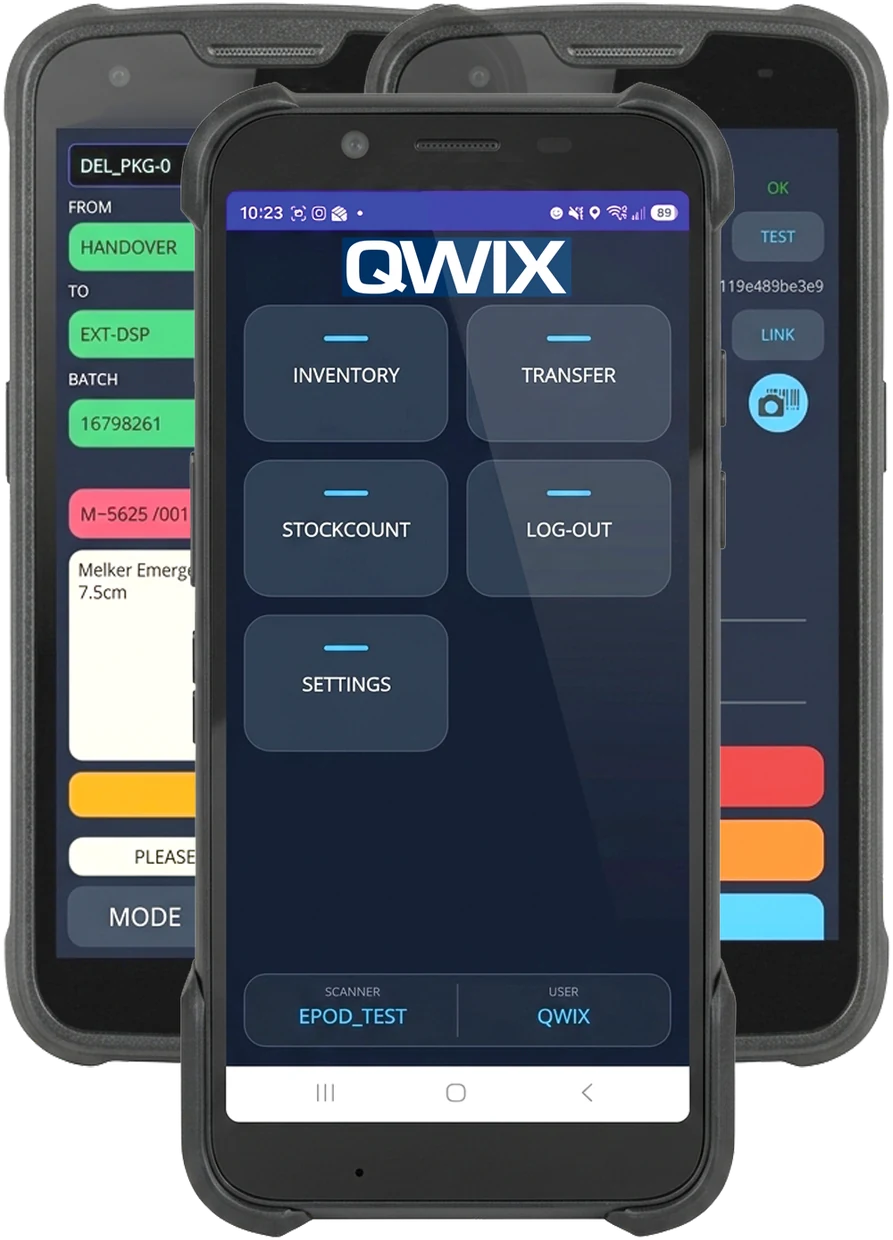
Scanner-driven execution on the floor
With supervisor visibility throughout.
Operators work from handheld scanners. The Qwix app shows the next task, and the scan confirms it. Supervisors follow progress on dashboards in the Qwix portal.
Your ERP stays in charge of valuation, purchasing, invoicing and the general ledger. Qwix integrates with more than 10 ERP systems, including SYSPRO, SAP, SAP Business One, Sage X3, Microsoft Dynamics NAV and JD Edwards. The Next tier widens the ERP catalogue. More on integrations
Core or Next
Core for one site and one stock owner. Essential warehouse control from items and bins through to dispatch.
Next for tracking or more sites. Adds multi-site and multi-owner stock, batch, lot and serial tracking, expiry and FEFO, slotting and kitting.
Warehouse management questions
What is a warehouse management system?
A warehouse management system (WMS) controls the physical movement of stock inside a warehouse: receiving, put-away, storage, replenishment, picking, packing and dispatch. It records where every item is and directs operators to the next task.
Which Qwix tier includes warehouse management?
All of them. Core covers essential warehouse control for one site and one stock owner. Next adds multiple warehouses, sites and stock owners, batch, lot and serial tracking, expiry and FEFO rules, slotting, kitting, and wider reporting and ERP options. The scope table lists every capability.
Does Qwix handle expiry dates and FEFO?
Yes, on Next. Expiry, FEFO (first expired, first out) and shelf-life rules are part of the Next tier, together with batch, lot and serial-number tracking.
Which devices do operators use?
Operators use Android handheld scanners running the Qwix mobile app. Supervisors use the web portal for dashboards and reports. Hardware, labels and ribbons are quoted separately.
Does Qwix replace my ERP?
No. Your ERP stays in charge of valuation, purchasing, invoicing and the general ledger. Qwix controls execution on the warehouse floor and reports movements back to the ERP.
Let’s look at your warehouse.
We check your operation fits, then show you the flows that matter to you.